Ship-by dates on manufacturing orders
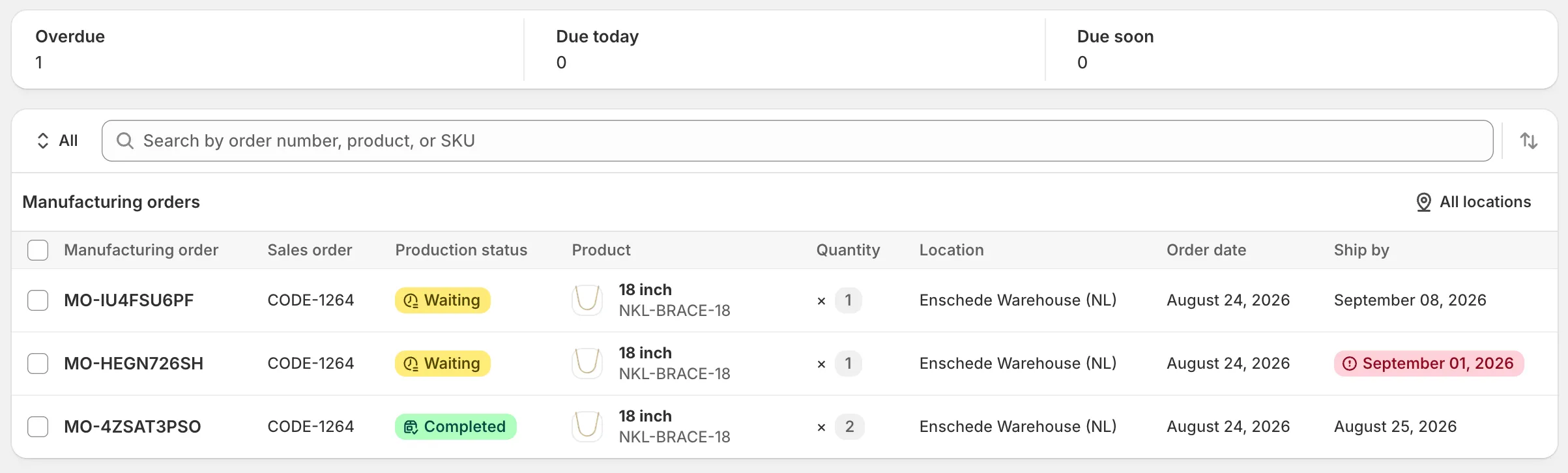
When a made-to-order item hits the cart, there’s a date it has to be out of the building. Until now that date lived in the customer promise and in nobody’s head. Manufacturing orders carried a status but no deadline, so “when does this actually have to leave?” was a question production answered by memory.
Every new made-to-order manufacturing order now captures its ship-by date at creation, computed from the order date plus the product’s lead time. It never changes afterward, even if the lead time gets edited later. The promise is made against a specific moment, and production sees exactly where each order stands against it.
Added
- A ship-by date on every made-to-order manufacturing order, set once at creation and fixed for the life of the order. Build-to-stock orders don’t carry one, since there’s no customer’s promise to keep.
- Shipping urgency badges on the manufacturing orders index and on each order’s detail page. Overdue when the date has passed, Due today when it’s today, Due soon within the next two days. Badges stay away once an order is completed or cancelled, so a shipped order doesn’t read as urgent.
- Three urgency tiles above the list — Overdue, Due today, Due soon — each counting how many open orders sit in that state across the whole shop or the selected location, regardless of any filter you’ve set. Production sees the fires before sorting into them.
Changed
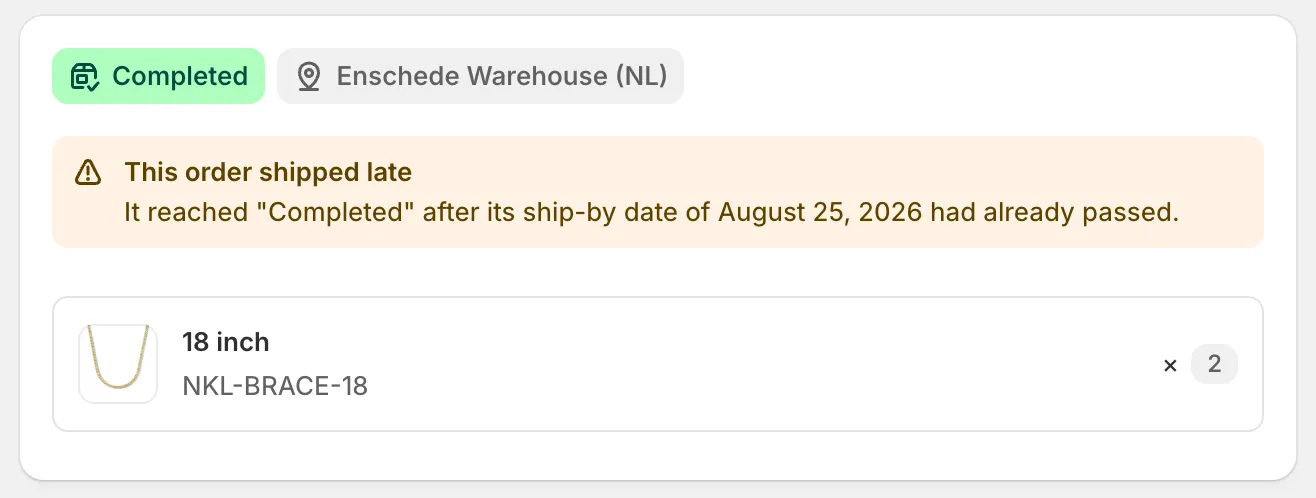
- An order completed after its ship-by date passes is marked This order shipped late on its detail page, with a banner naming the date it missed. The date is frozen at creation, so a lead time that changed later doesn’t rewrite the promise — a late order keeps reading as late even after it’s out of the queue.
Docs
A dedicated concept page now covers what the ship-by date is, where it comes from, and what the urgency badges mean: Ship-by dates.