Track production on the Shopify order page
Most questions about production start in Shopify: someone opens an order because a customer asked where it is. Orderkraft puts the answer on that page, so support and ops don’t have to switch apps to give it.
There’s nothing to turn on. The block appears on your order pages once Orderkraft is installed.
The manufacturing orders block
Open any order in Shopify Admin that contains a made-to-order item. Orderkraft adds a Manufacturing orders block to the order page listing the production behind it. Each row shows:
- The manufacturing order number
- The product being built, with its image and SKU
- The quantity
- The current status
- The ship-by date, highlighted when it’s overdue, due today, or due soon
Below the rows, the block reads out the one date support usually reaches for: Expected to ship on, the latest ship-by date across the order’s still-open manufacturing orders. That’s the honest answer to “when does it leave,” because the order is only fully produced when its last item is.
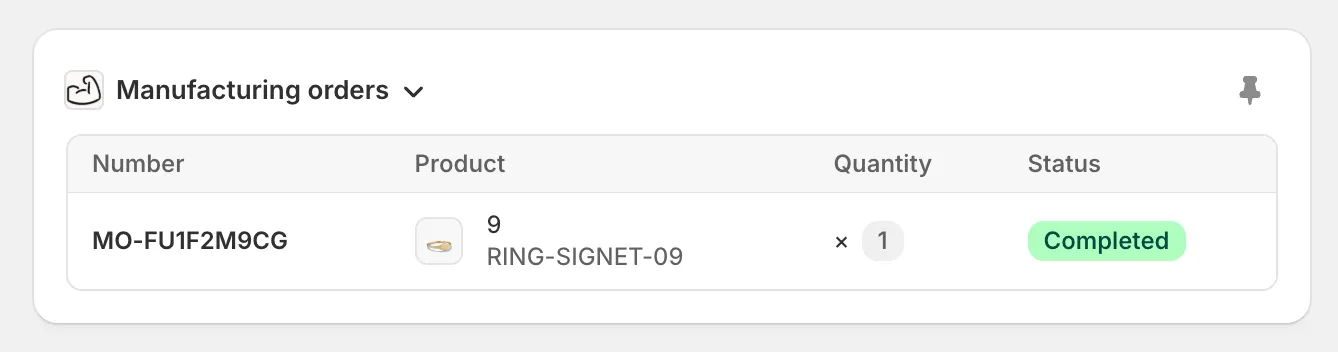
One signet ring, built and done.
Orders with several items in production get several rows, and the block pages through them a few at a time so it stays a sensible height. Rows are newest first.
If nothing is being built for the order, the block says so rather than disappearing. Only made-to-order production shows up here. Build-to-stock manufacturing orders aren’t tied to a customer’s order, so you’ll find those in Orderkraft.
The detail view
Click a row and the manufacturing order opens in a panel over the order page. It shows:
- The status, with the ship-by date beside it, and the production location it’s being built at
- A warning banner with any active holds, including the note explaining each one
- The product and quantity being produced
- The full timeline: every status change, when it happened, and who made it
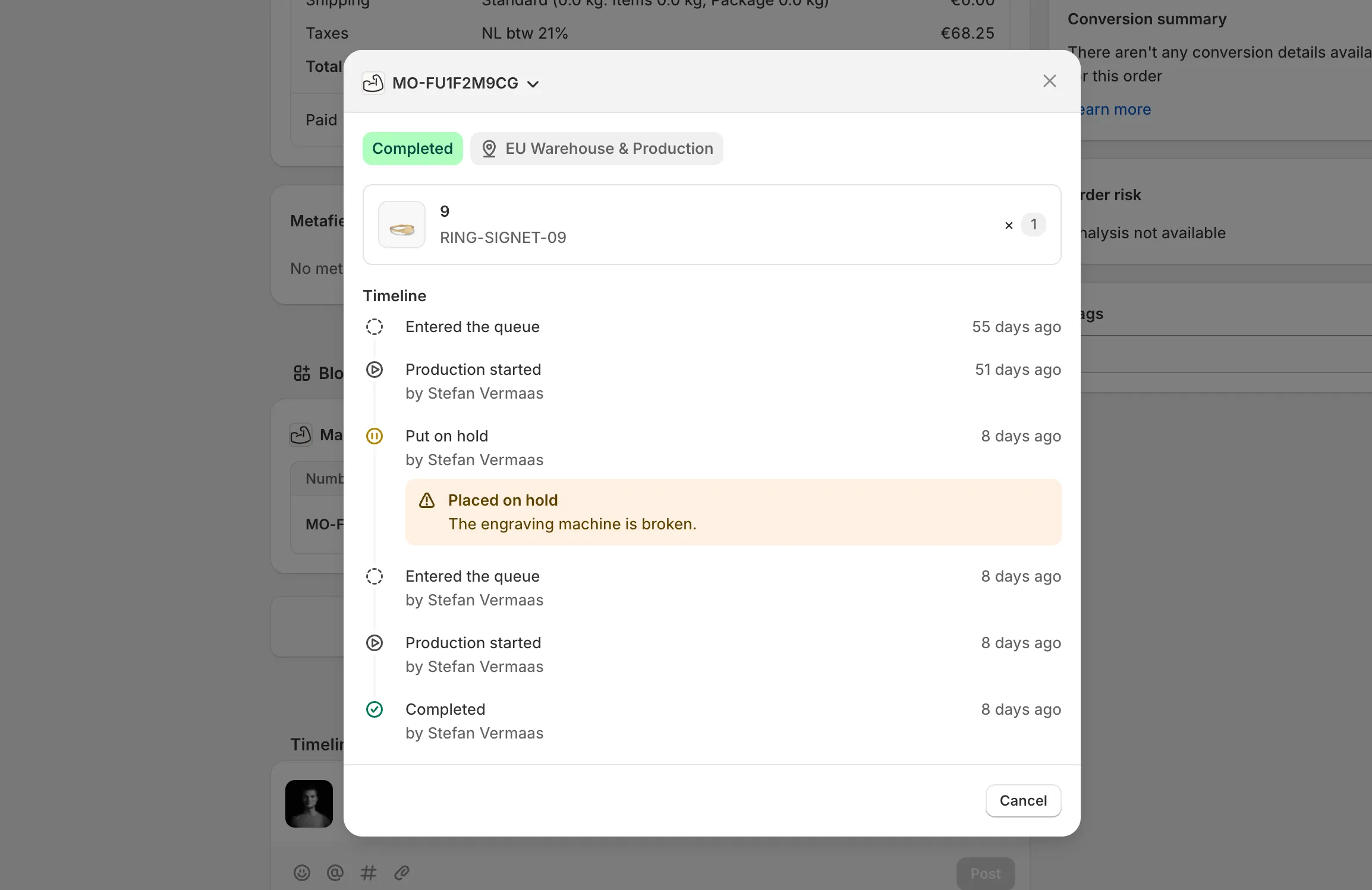
Six weeks in production, then a broken engraving machine on the very last day.
This is the view to open when a customer asks why their order is late. If production is stopped, the reason is right there in the banner, in the words of whoever stopped it.
Holds that have already been released stay in the timeline rather than the banner, so you can see that something was blocked and got resolved. The order above finished, so its hold sits in the history instead of at the top.
Read, not write
Both the block and the detail view are read-only. Statuses change in Orderkraft, where the production queue and the actions that move orders through it live. That keeps one source of truth for what the floor is doing, rather than two places that can disagree.
What customers see
The same production status can be shown to customers on their own order page. See Show production status to customers.